 English







Examine
Download of test-taker data at account level
June 7, 2022
Download of test-taker data at account level
Single click download of test-taker data across tests!
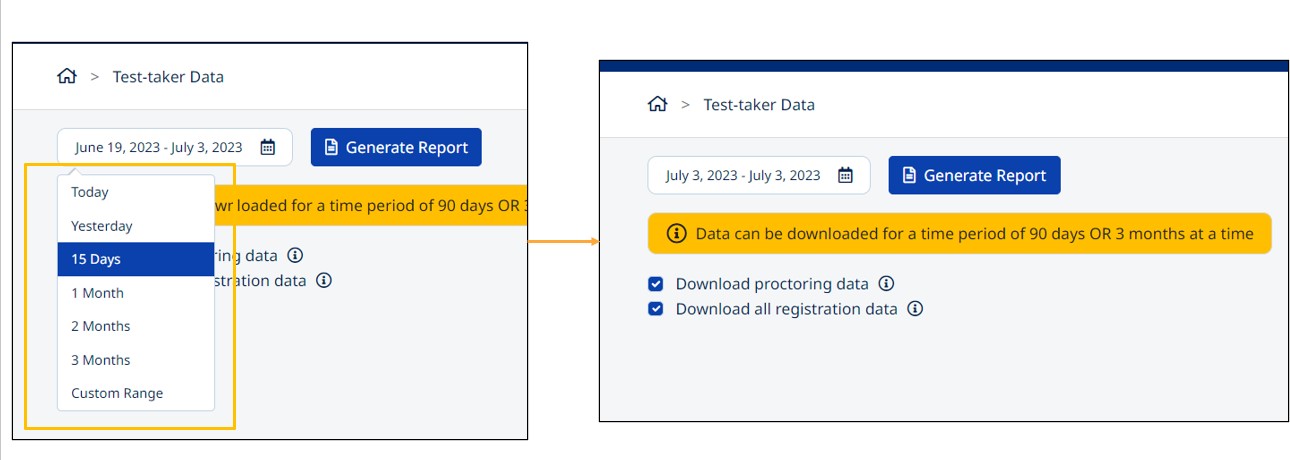
Steps to download test-taker data at account level: 1. Click on “Test-Taker data” from "Account Settings":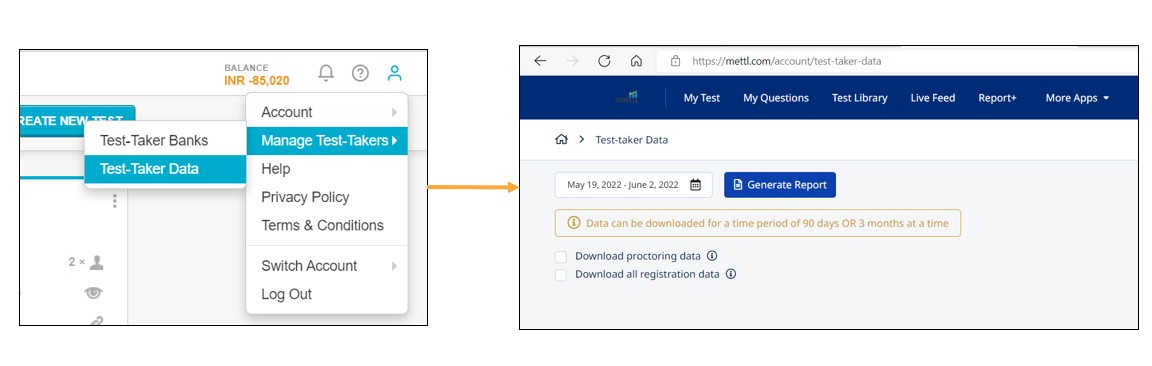 2. You can select the date range(including today) and the proctoring/registration data required as shown below :
- Download proctoring data - Excel will display additional columns with proctoring information
- Download registration data- Excel will display other registration data like last name etc.
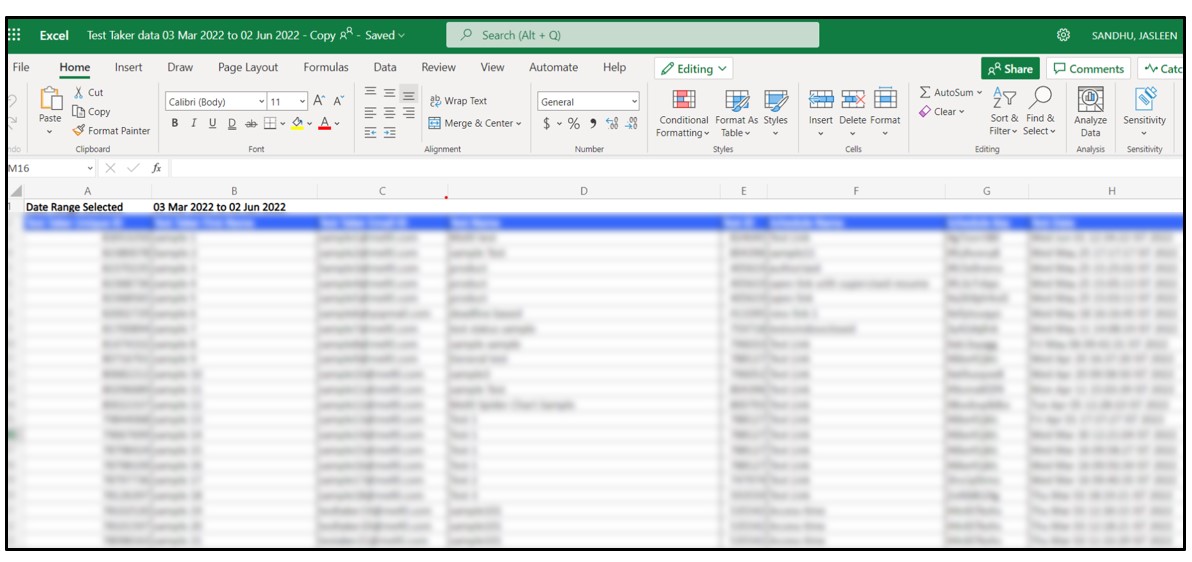
 3. Click on “Generate Report” button to download the data:
Please Note: 1. You can download for 3months at a time
2. A maximum of 80K can be fetched in a given date range
Get awesome marketing content related to Hiring & L&D in your inbox each week
Stay up-to-date with the latest marketing, sales, and service tips and news
By using our offerings and services, you are agreeing to the Terms of Services and License Agreement and understand that your use and access will be subject to the terms and conditions and Privacy Notice