 English







Examine
Meet the New Results Dashboard
March 21, 2023
| Hiring
The New Results Dashboard brings a fresh new look, more interesting insights and overall, a big leap in user experience.
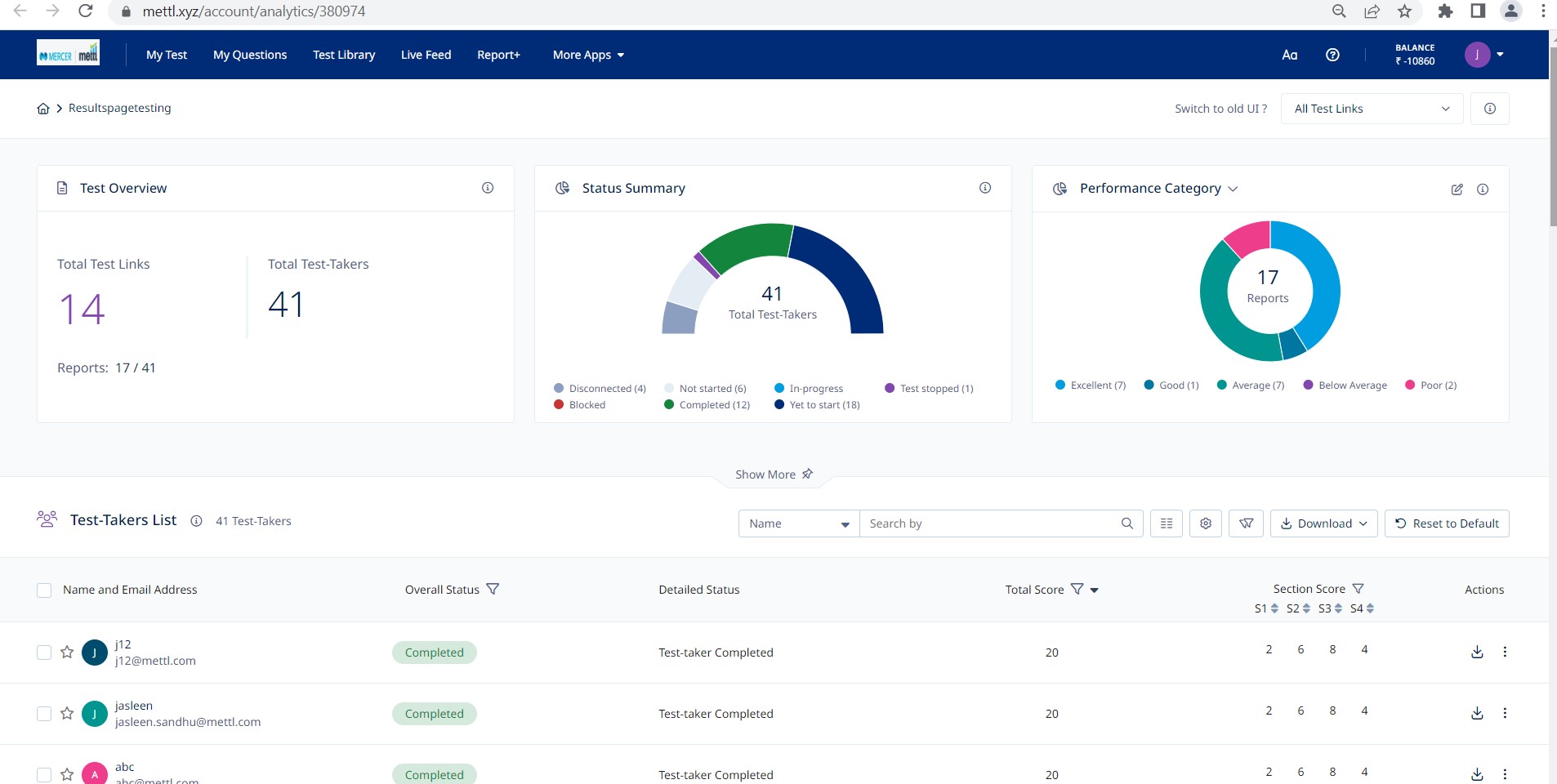
Vibrant look – Modern & Dynamic new UI
The new, vibrant, and easy-to-use dashboard is smarter and designed for convenience. Giving you an in-depth view of what’s happening in a test and helping you find the desired test-taker in seconds. Read more
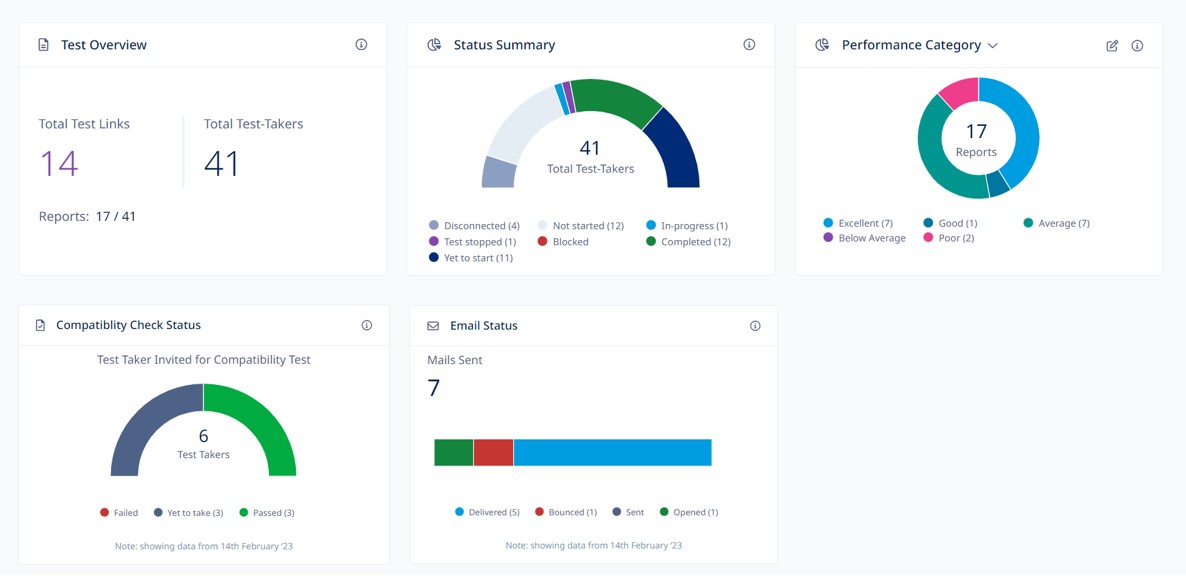
Powerful widgets – All important information in one go
Get access to data on your dashboard with new widgets.- Get details of email invites sent, delivered, and opened by each test-taker
- Deep dive into test takers’ details with a status summary.
- Assess test-takers’ machine compatibility for a smoother test experience with the compatibility check widget and its pass/fail status.
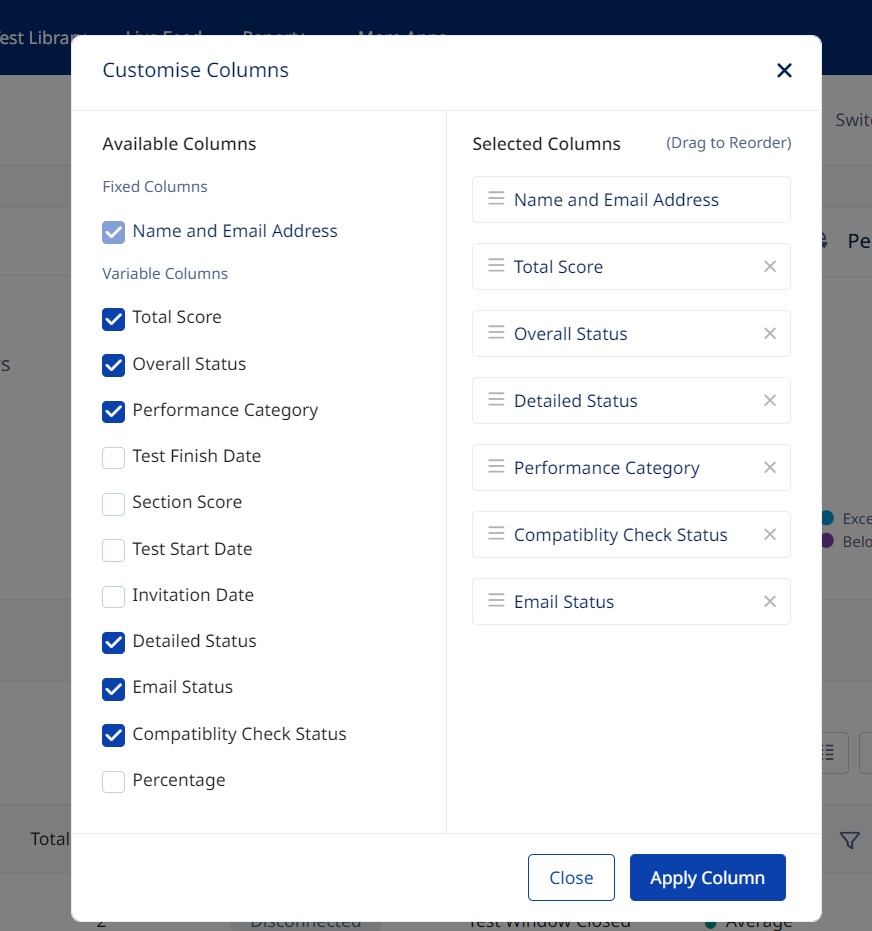
Enhanced flexibility with advanced customizations
Add, remove, or reorder columns with ease. Quickly customize the dashboard for easy access to required fields for all test-takers and hide data that is not relevant to your work. Readmore
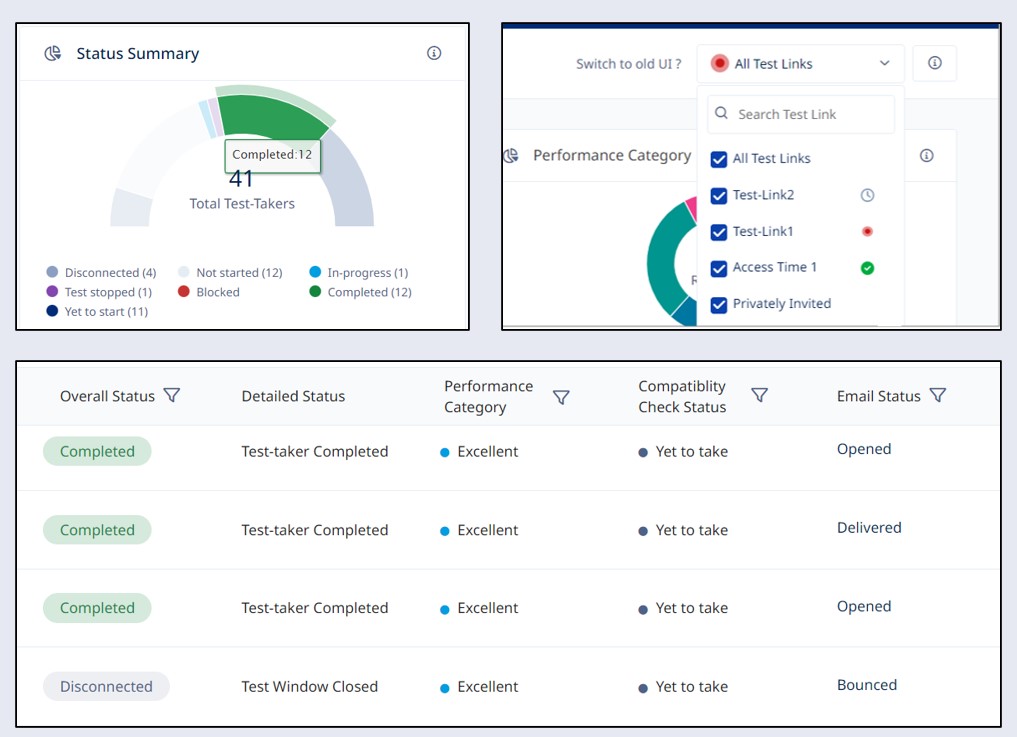
Clickable Charts and comprehensive Excel
Loaded with powerful new features like clickable charts for easy filtering, comprehensive excel reports, quick indicators for test links, simplified test-taker status, email status and much more. ReadmoreGet awesome marketing content related to Hiring & L&D in your inbox each week
Stay up-to-date with the latest marketing, sales, and service tips and news
By using our offerings and services, you are agreeing to the Terms of Services and License Agreement and understand that your use and access will be subject to the terms and conditions and Privacy Notice