Now remove certain relationships (legends) from the Spider Chart!
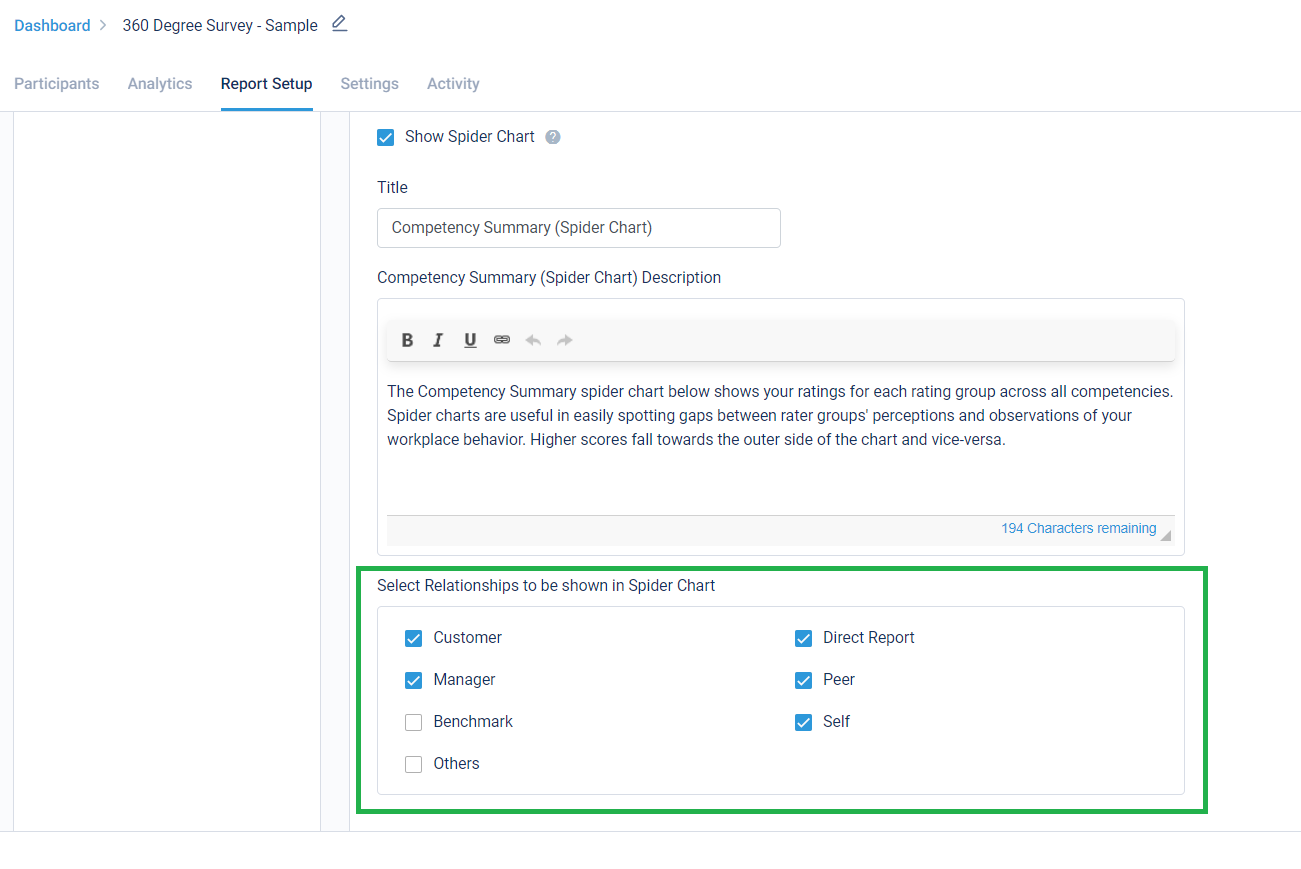
For any survey, the Spider Chart created for competency analysis always showed all the relationships that were part of the survey, along with the Self, Other & Benchmark. By using this new setting in Report Setup, certain legends can be removed from the Spider Chart. This was requested to us by Mercer consultants.
Below is a setting to enable this:
Stay tuned for more amazing updates coming your way.
Now create 270 degree surveys with no requirement of Self feedbacks!
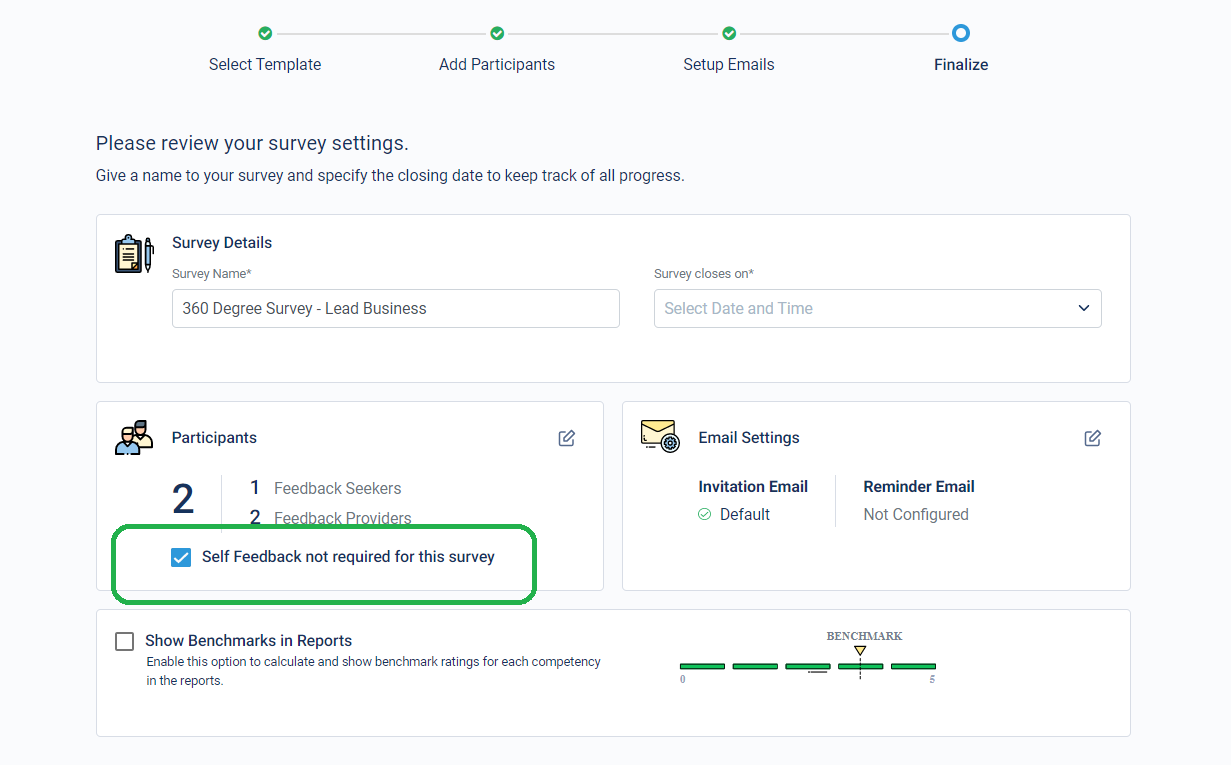
We have now launched a new functionality using which, the need of Self-feedback can be removed from surveys. For such surveys, survey is launched without the need for Feedback Seekers to provide their own feedbacks. Reports get generated on the basis of feedback shared by all others and the reports also have no mention of feedback from Feedback Seekers themselves.
The setting for this can be enabled on the Finalize step, right before launching a survey. Invitation and reminder emails will also not be sent to Feedback Seekers for self-survey.
Attaching a sample report for reference: Sample report with Self feedback not required.pdf
Stay tuned for more amazing updates coming your way.
We are excited to share that in addition to highlighting the lines having errors and warnings directly in the CodeLysis code editor, we now also provide linking of errors from the console itself. The errors/warnings are linked to their exact location in the code and clicking on the link takes the user directly to that line.
This functionality will further enhance the coding and debugging experience of test-takers and will provide them with a more feels-like-home IDE experience.
We are excited to share that the New Test-taker Experience is now supported on Top 12 languages used on the platform (apart from English):
These languages are:
- Arabic
- Bahasa
- European Portuguese
- European Spanish
- French
- German
- Hungarian
- Italian
- Mandarin
- Portuguese
- Spanish
- Turkish
All assessments created in any of these these languages will now be available on the Test Taker Interface.
For the remaining languages, we will keep you all posted once it is made Live.
Stay tuned for more updates!
Continuing our efforts towards enhancing test-taker’s experience, we have launched the next-generation of our project-based development environment (I/O).
This comes with a new and modern UI with improved user-experience.
It also provides a UI walkthrough highlighting the key components of the environment. This will help test-takers who are new and unfamiliar to modern IDEs based programming environments.
Hope you are as excited as we are to let the test-takers get a feel of the all new project-based coding environment!
In our efforts to make the user experience for test-takers even better we have made big updates to our general-purpose backend coding environment (Codelysis).
The code editor now highlights specific lines which have errors and warnings in them. It also provides the exact character location and description of the errors/warnings.
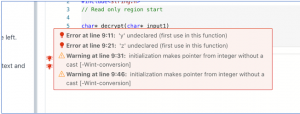
This functionality is meant to enhance the coding and debugging experience of test-takers who find it difficult to understand logs and will assist them in understating the issue(s) with their code.
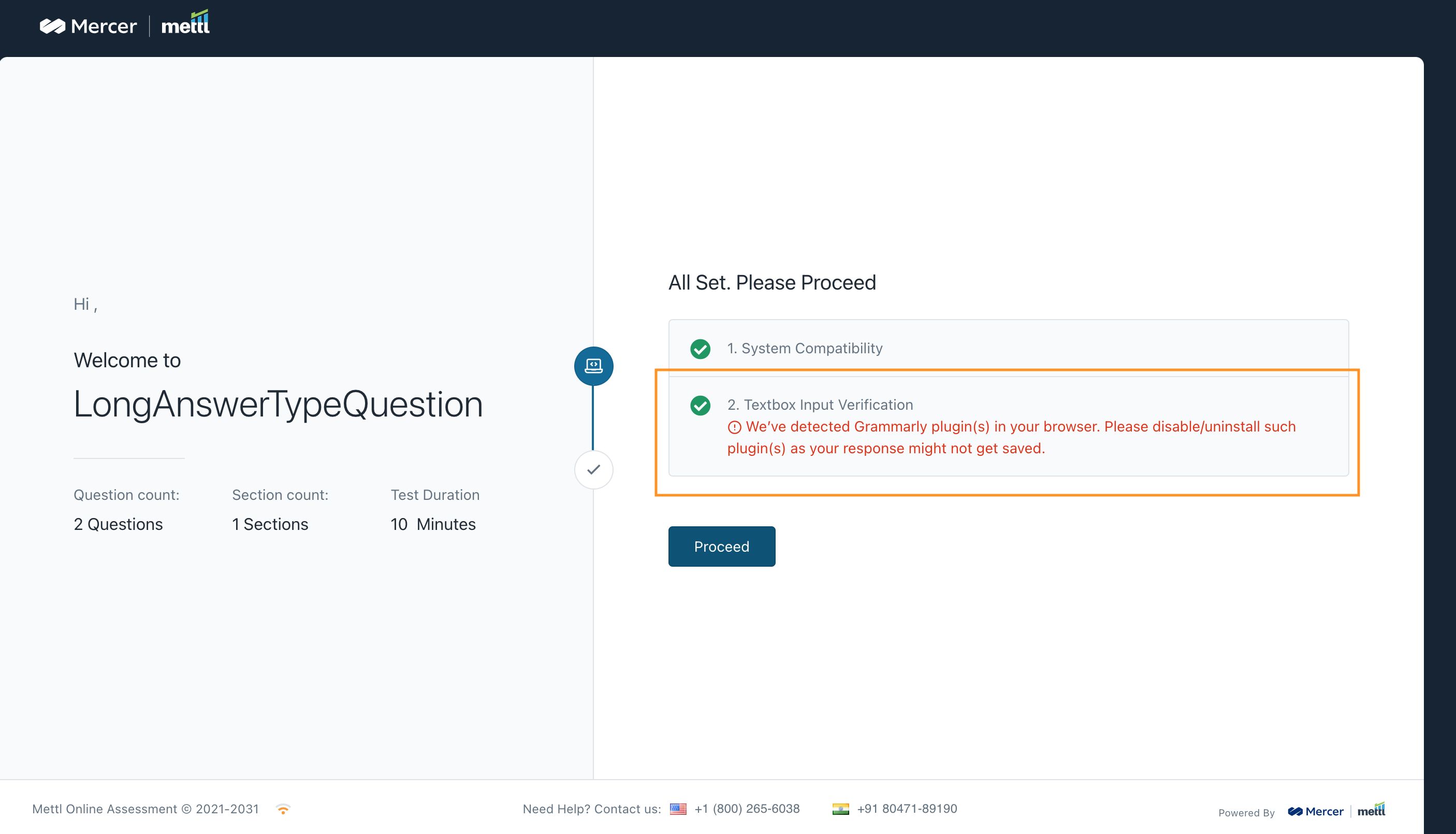
Grammar and spell check plugin intervenes with test takers’ data. Since we highly discourage use of such plugins in a test, we have introduced detection feature for these plugins. We detect it when Long Answer questions are used in a test.
Plugin detection in system compatibility:
In system compatibility user gets notified, if Grammar and spell check plugins are installed in the browser.
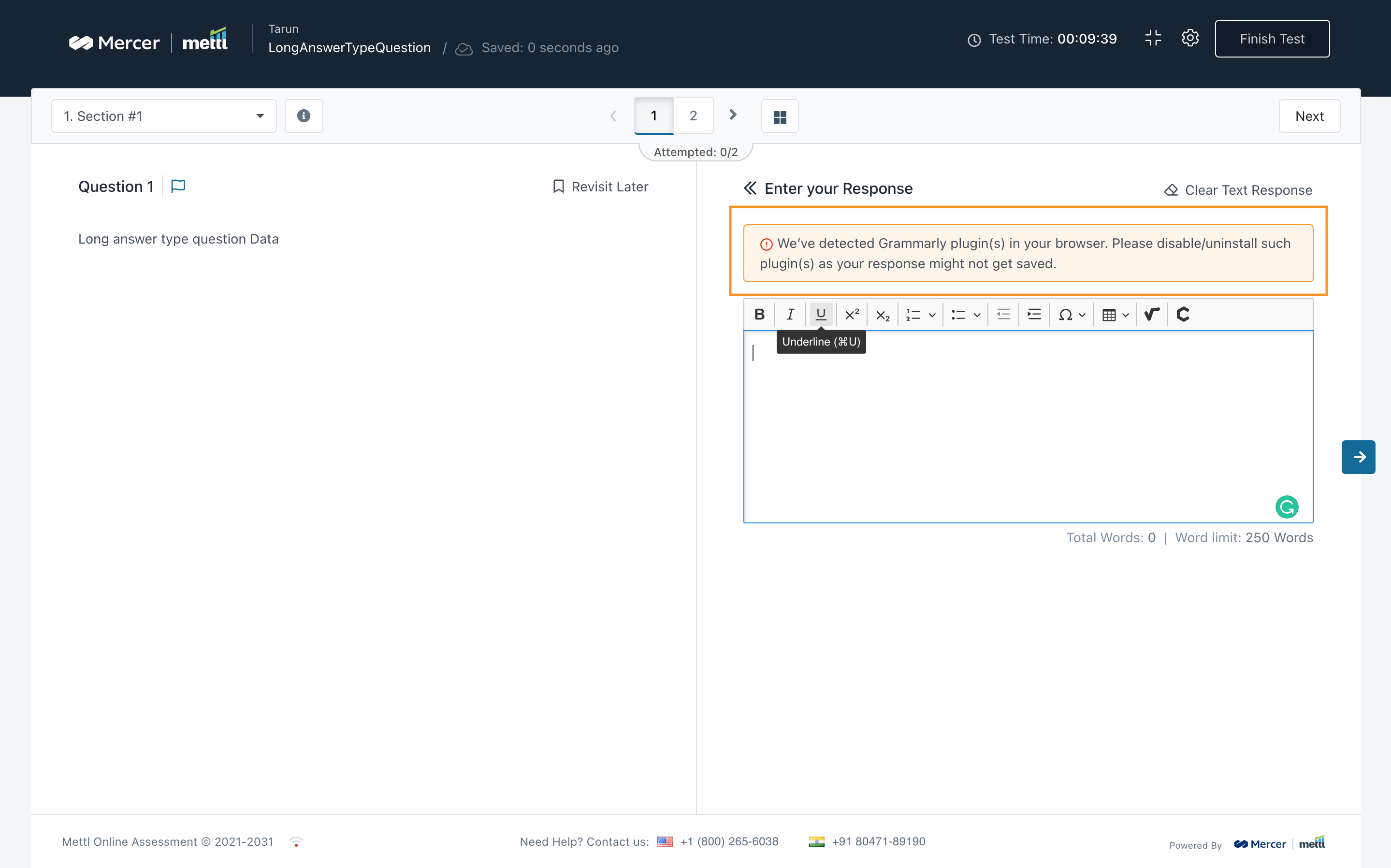
Plugin detection during test:
During the test we detect the Grammar and spell check plugin is installed and enabled in the browser, if user disabled or remove the plugin, warning should not be visible on the screen.
Stay tuned for more amazing updates coming your way!
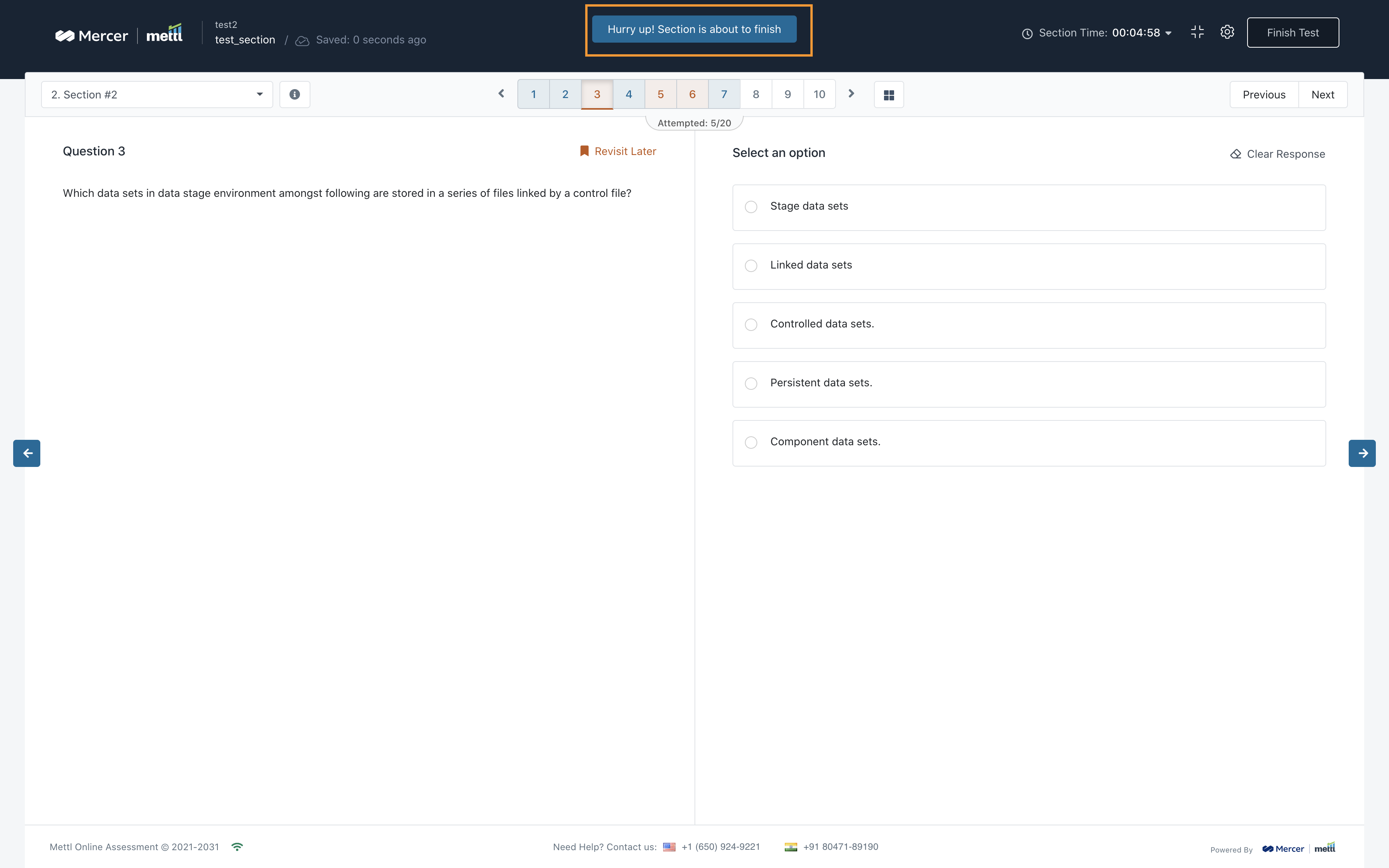
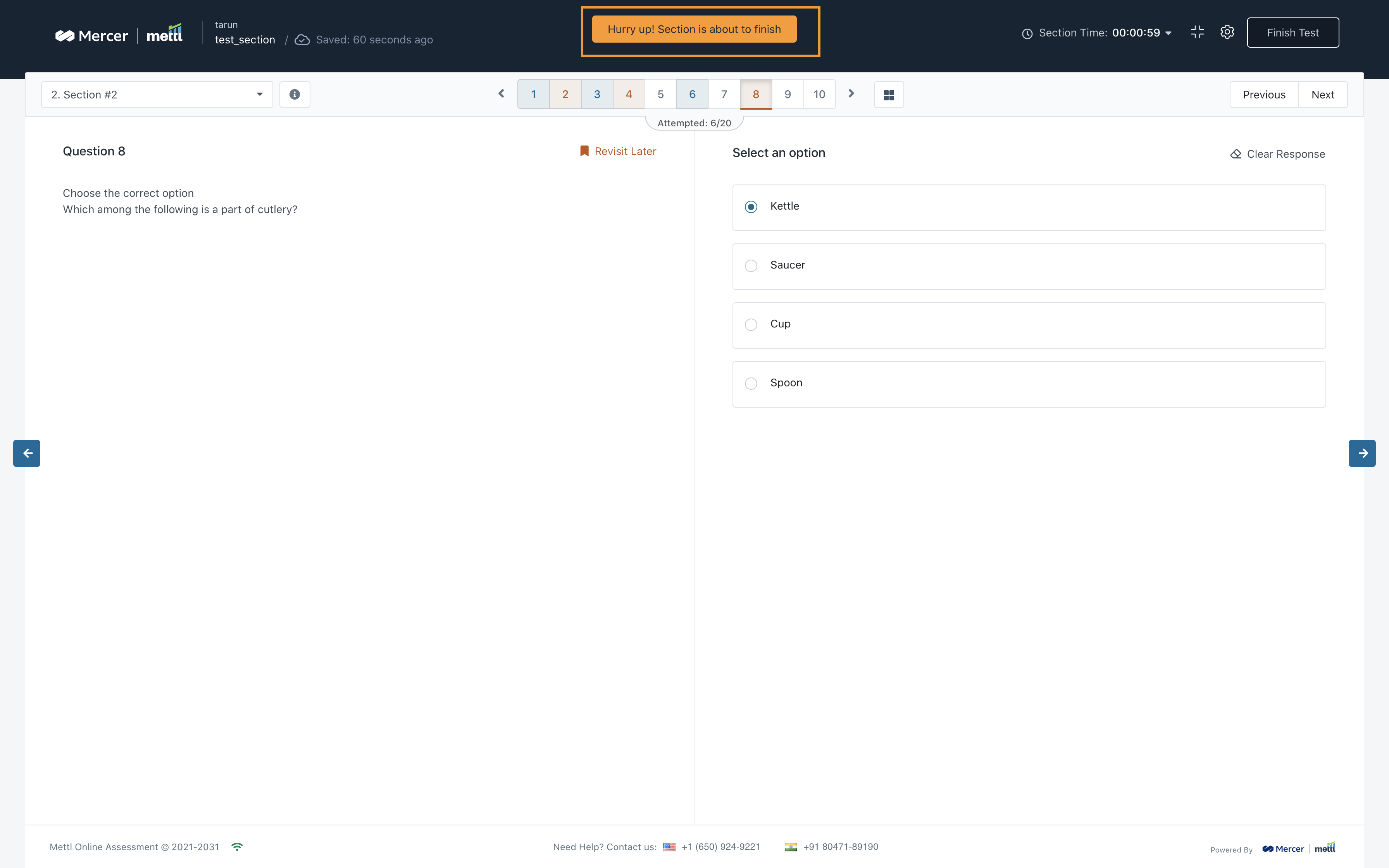
We value our test-takers’ feedback and keep on enhancing the experience taking their feedback into consideration. The test time over notification was too last minute for test takers to finish their test. With section time over notification, test-takers get a notification as soon as a timed section is about to get over.
Section Time Over Notifications are shown just 5 mins and 1 min before the section’s time gets over.
Section Time Over Notification when 5 mins left in a section:
Section Time Over Notification when 1 min left in a section
Stay tuned for more amazing updates coming your way!
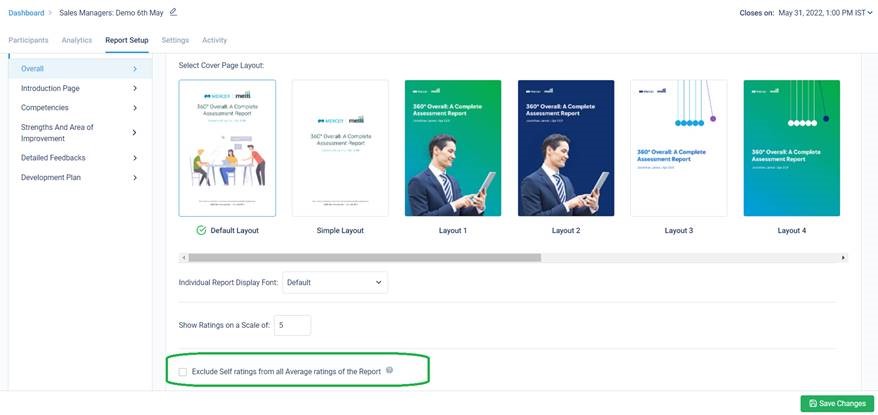
Now you can exclude Self Ratings from all average ratings calculated in the report!
Once this setting is applied, all the average competency ratings would be shown on the basis of ‘Others’ Ratings only i.e. Self scores would be removed from all the below sections. All report sections that will get impacted once this setting is enabled for a survey are given below:
- Competency Summary
- Detailed Feedback
- Top Strengths & Top Areas of Improvement (new report section introduced below)
- Personal Development Plan
- Benchmark
The section for Johari Window will still appear with all statements being shown with Self score included as Self Rating is mandatory to create the 4 Quadrants i.e. Strengths, Areas of Improvement, Hidden Strengths and Blind Spots.
Below is the setting in Report Setup from where this setting can be accessed. By default, this is switched OFF.
Stay tuned for more amazing updates coming your way.








 Behavioral Competencies
 Cognitive Competencies
 Coding Competencies
 Domain Competencies