 English







Option for Feedback Providers to Opt-out of a response
Feedback Providers can now choose to not fill response for a Feedback Seeker!
For large organizations, the HR might not have a complete Seeker<>Provider mapping to run the survey. Also, in some cultures it is considered rude to not invite certain Feedback Providers to fill the survey for some Feedback Seeker (making a Provider’s Feedback Seeker list really huge!).
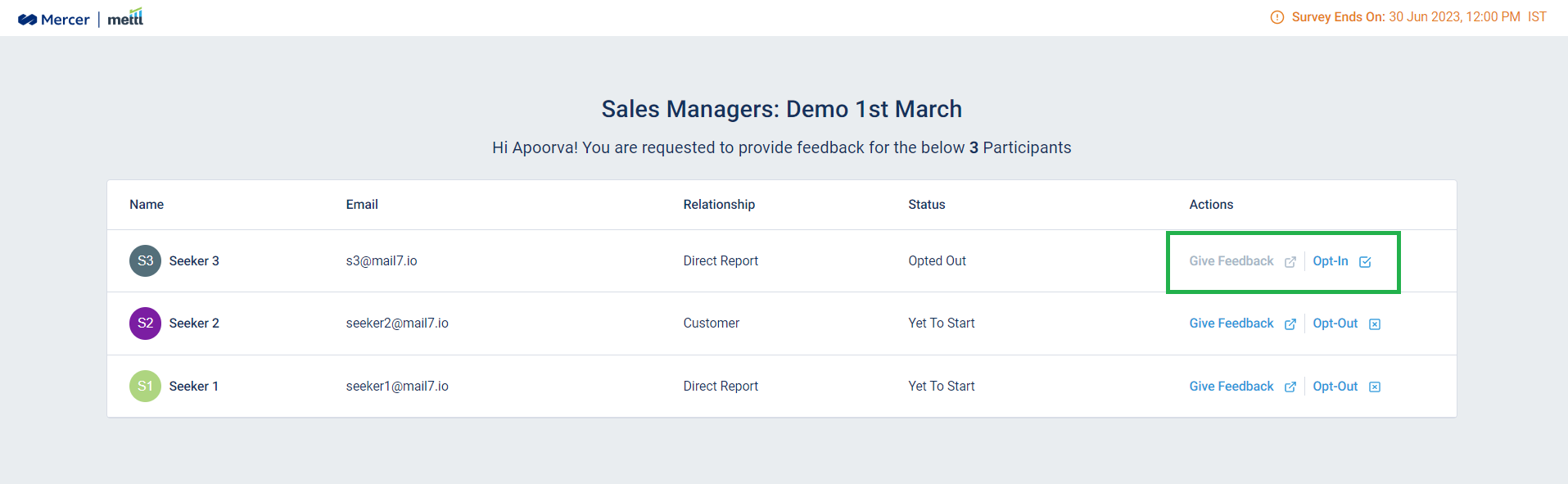
Now, Feedback Providers can choose to not fill the response for a Feedback Seeker in case they do not have the apt working experience or aren’t knowledgeable enough to provide ratings to a Seeker. Once opted-out, Providers are not required to fill the survey for that Seeker.
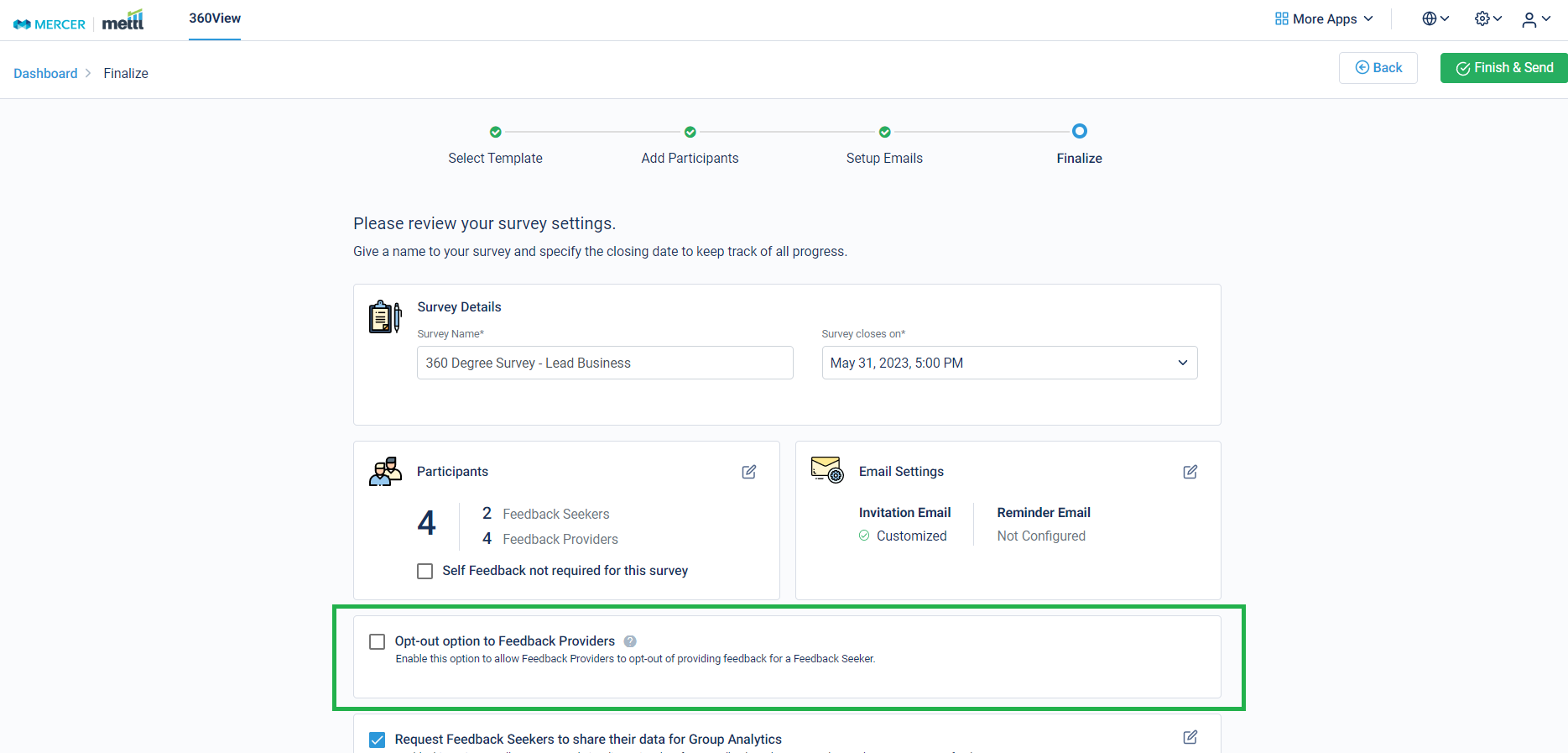
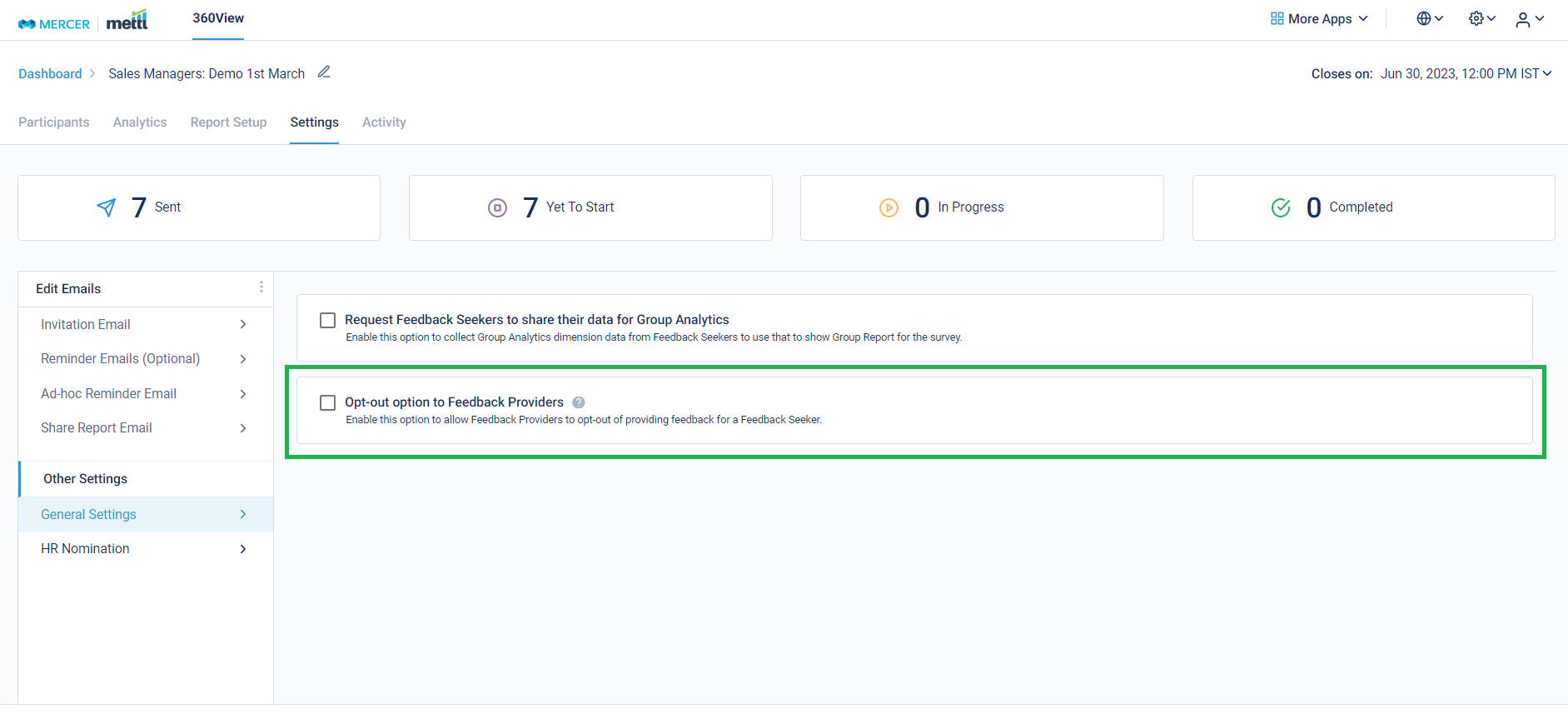
The setting for the same can be initialized either at the ‘Finalize’ step of launching the survey, or after the survey has been launched.
‘Finalize’ Step:
Survey running page:
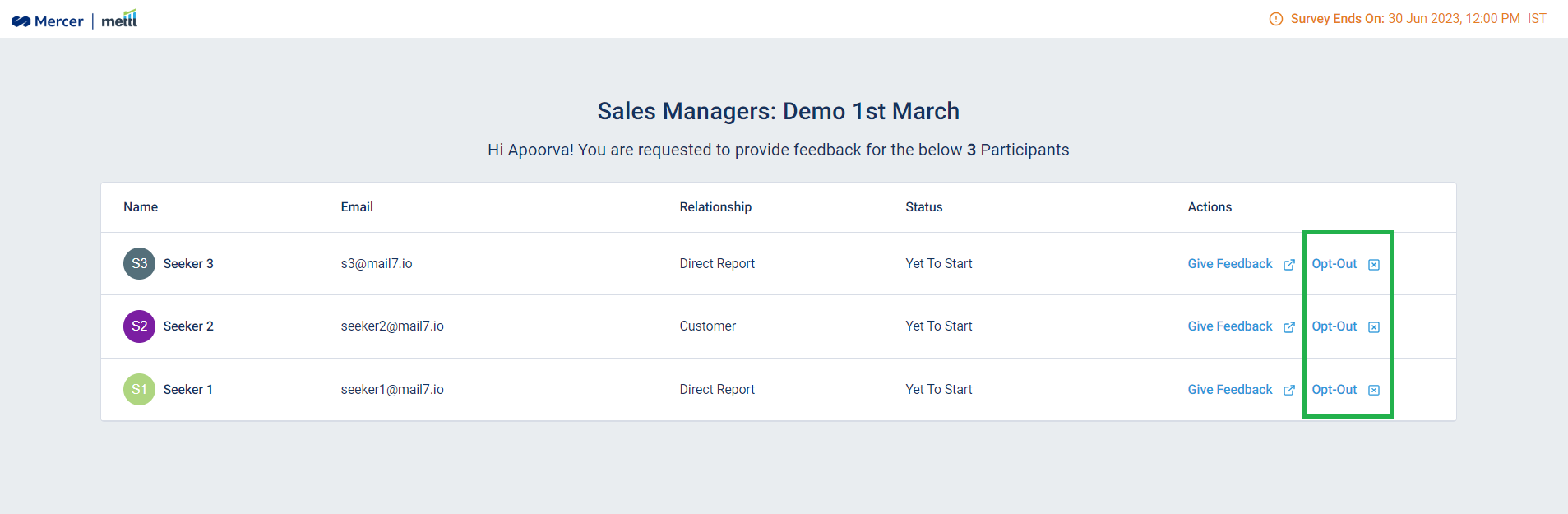
After enabling this option, this is how it’ll appear at the Respondent Page-
Before opting out:
After opting out:
Stay tuned for more amazing updates coming your way!
Get awesome marketing content related to Hiring & L&D in your inbox each week
Stay up-to-date with the latest marketing, sales, and service tips and news
By using our offerings and services, you are agreeing to the Terms of Services and License Agreement and understand that your use and access will be subject to the terms and conditions and Privacy Notice